You
launched your website a few years ago. At the time, it featured the
latest and greatest technology… But now your once-top-notch site
seems to be lagging behind…
More and more of our clients are
finding themselves in this situation. Technology evolves so rapidly
that it can be hard to keep up, and a site that’s only a couple years
old seems ancient! If your site falls into this category, here are a
few options you can consider:
- Make small changes now, and start planning big for the long-term
- Update your site’s technology with a CMS Upgrade
- Update your
site’s technology and architecture with a full Rebuild
1.) Make small changes now, and start planning big for the long-term
If there’s no immediate need or you
simply don’t have the money for a more drastic change, you can keep
your site “as is” and continue to pay as you go with small site
improvements.
Your Newfangled site, no matter how
old, will never just stop working. The site will always exist and
function properly, and we will continue to support it. The
technology will not “expire” after a certain amount of time.
Older sites are often more complicated
and come with fewer standard features, so more changes will require
programming work and a quote than if you upgraded to a newer Content
Management System (CMS). 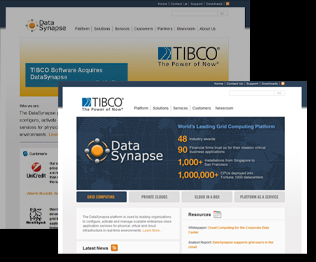 However, unless you’re considering major
improvements, the costs would be minimal compared to a full-scale
upgrade or rebuild.
For a list of small site tweaks to
consider, read our September ’09 newsletter, Doing More with
Less: 9 Simple Ways to Get More from Your Website.
You could also redesign the homepage (check out the DataSynapse homepage redesign, photo on the left) or other individual areas of
the site for a fresher look – although it may be more cost effective
to save up for a total rebuild.
In the meantime, you should start
planning for the long-term. You’ll still want to upgrade or rebuild
further down the road, since technology is always changing. For
instance, one problem we see with our older sites is inconsistencies
with newer web browsers, since they use technology that did not exist
when the site was created. You never know how these old sites might
react when the next round of browsers is released.
2.) Update your site’s technology
with a CMS Upgrade
If
you want to update your site with the latest technology but don’t
want to fully redesign and start from scratch, you can opt for a CMS
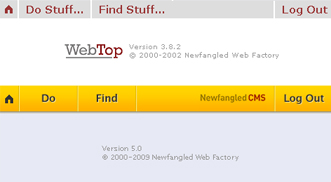
upgrade. Our latest version, CMS 5, has plenty of extra features
that give you more control over content, so you can make more changes
without having to go through us each time. More importantly, it also
includes Google Analytics data and Newfangled tracking tools
that will keep you up-to-date on how people are using your site.
Here’s a recent
webinar and a recent newsletter
that preview CMS 5 – and you can always set up a meeting
for a personal tour of the new features.
The
primary advantage of CMS 5, though, is our Total Managed Support
(TMS) plan,
which includes monthly meetings with your Project Management
team. We’ll proactively review your site to help keep it current
and prevent it from “falling behind” again.
Keep in mind that a CMS upgrade is an
exact copy of your current site, so you won’t have the
opportunity to redesign or add features as part of the upgrade
project. Your site will look exactly the same, the content won’t
change, and we will not go through our usual prototyping process.
You can’t make any additional enhancements without increasing the
price. After the upgrade, however, you are free to explore any site
improvements at additional cost.
3.) Update your
site’s technology and architecture with a full Rebuild
 If you’re
considering an upgrade to CMS 5 and have the extra time and
resources, we recommend going one step further and getting a full
site rebuild. This is your most drastic option, but it also gives
you the most value and “bang for your buck.”
Your Newfangled Project Team will take you through the prototyping
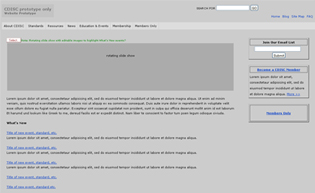
process (check out the prototype page to the right),
which gives you the opportunity to rethink your whole site and make
substantial improvements: updated navigation, design, functionality,
etc. Your revamped and revitalized site will come with CMS 5 and
the TMS plan – so not only will you have the latest in site
architecture and technology, but you’ll also continue building on
that foundation for the long haul.
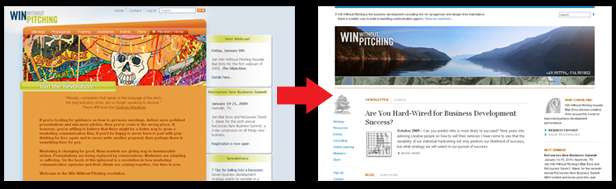
Here’s an example of a Newfangled client that recently went through a site rebuild. Katie & Brian’s team took WinWithoutPitching.com through the full Newfangled process, which resulted in a fresh “new” site on the CMS 5/TMS plan.