One site Jason and I were excited to send live recently is brahmin.com, a Massachussetts-based manufacturer of upscale handbags and other leather goods. Since the site’s launch in September, we’ve gotten a number of comments about how good it looks (thanks to Duffy & Shanley, the agency that provided the design) and how well it performs (thanks to Dave, the developer on the project, who made sure that the site’s enormous database didn’t slow it down). This was a complex project with several cool features; here I want to focus on just one of them, the product search.
With a site meant for shopping, making it easy for customers to find what they want is obviously a top
priority. We decided that the best approach would be a smart text search like the one on apple.com. To see what I mean, head over to the Apple site and start typing in something you might want to search for: say, lapt… or i…well, i-anything. See what happens? As you type, likely results autofill in a dropdown, with a graphic representation right there to give you a better idea of what each one is. Pretty cool.
For the search on Brahmin.com, we took the autofill concept and applied it to the content that was most important for users to find: the products. If you go to brahmin.com and start typing in a search query, you’ll get a dynamic recalculating list of products that match your terms.
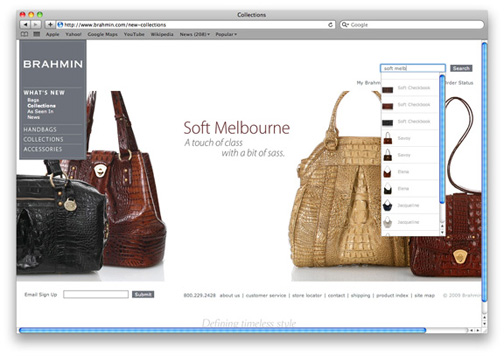
This search doesn’t just let you search by the product’s name, though; it’s actually an advanced search in an less confusing, non-intimidating disguise. Say I like the Soft Melbourne collection, but I also know I really want a black bag. Easy:
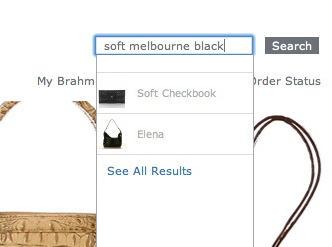
We’re excited about this new search feature, and it will probably show up on more of the sites we build in the future. For the successful execution, we again have Dave to thank; speed is key here, and he made sure that the results come up quickly enough for users to understand and work with intuitively. There are still plenty of situations where a more traditional advanced search with multiple variables will make more sense, but two specific aspects of the Brahmin project made this model a great fit here:
1. The users are highly expert. Not that all of them will be technically expert–some undoubtedly won’t, which made
ease of use a high priority in planning this feature. But they are
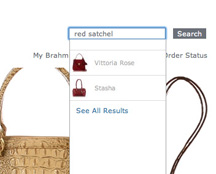
expert in the subject matter at hand. They know what a red satchel is, they have a sense of whether that’s what they’re looking for, and so it makes sense to give them maximum control over their search terms.
2.The search meshes well with the compelling and frequently updated photography on the site. Say I come to the homepage and see this:
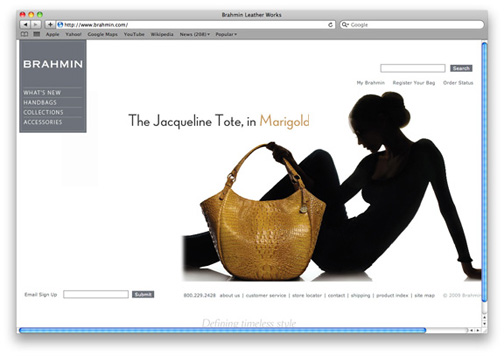
I may see that and know that Jacqueline is my bag, but marigold is not my color; or i may love the marigold but want to see if it comes in a different kind of bag. No problem:
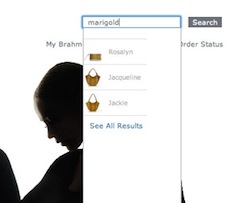
Like a fine handbag, that capability is both elegant and practical.